
Truly Anonymous
Information for Writing Contest Junkies

I always prefer writing contests that allow submissions through the Internet. I don’t like having to print and snail mail entries to contests. Against my better judgment, though I still do that for some contests I like. What so many people do not know is that when you submit through the Internet, you need to be sure that your submission is truly anonymous.

Some writers are unaware that Word automatically places your name on every document you create. This might be a great function in some cases, but this is unnecessary and could count against you when your document is supposed to be free of any personal information. Here are the steps to remove that information:
Create a document.
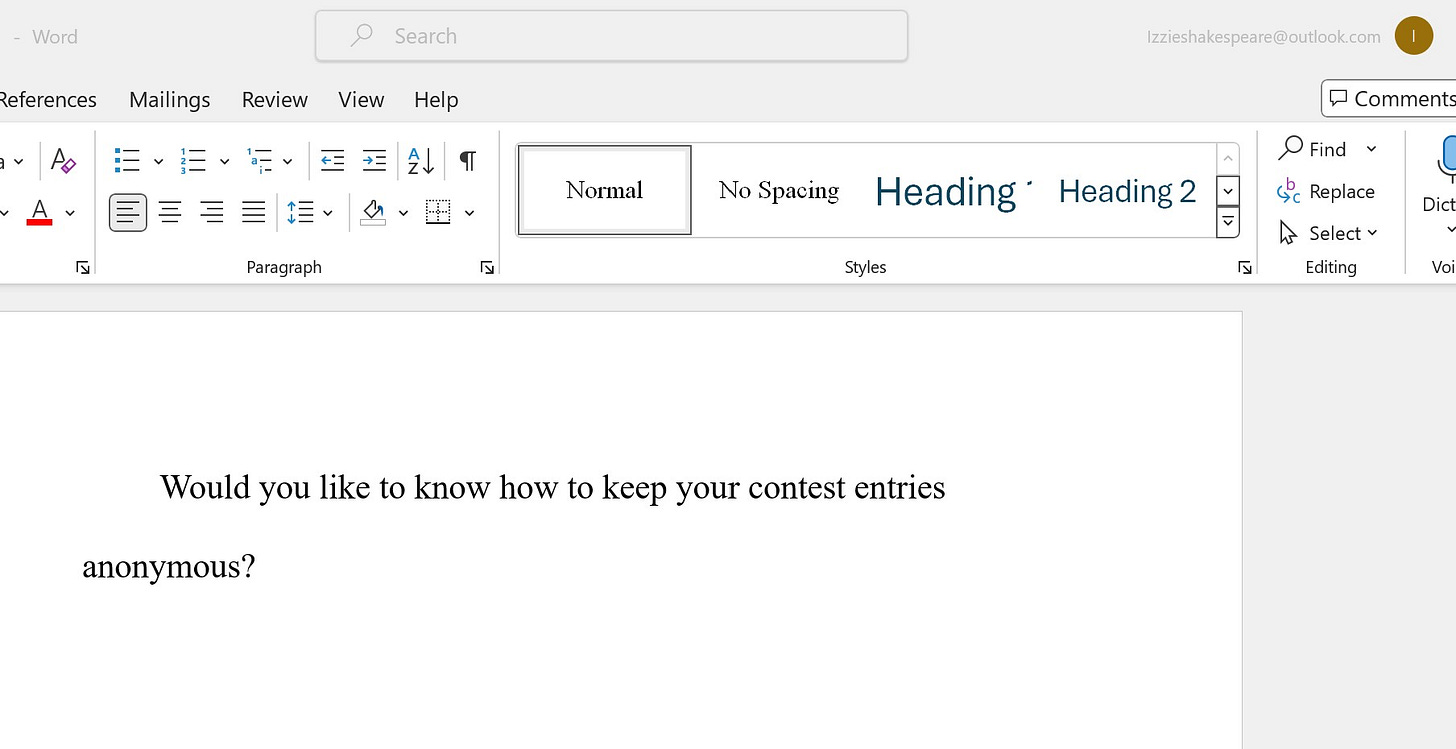
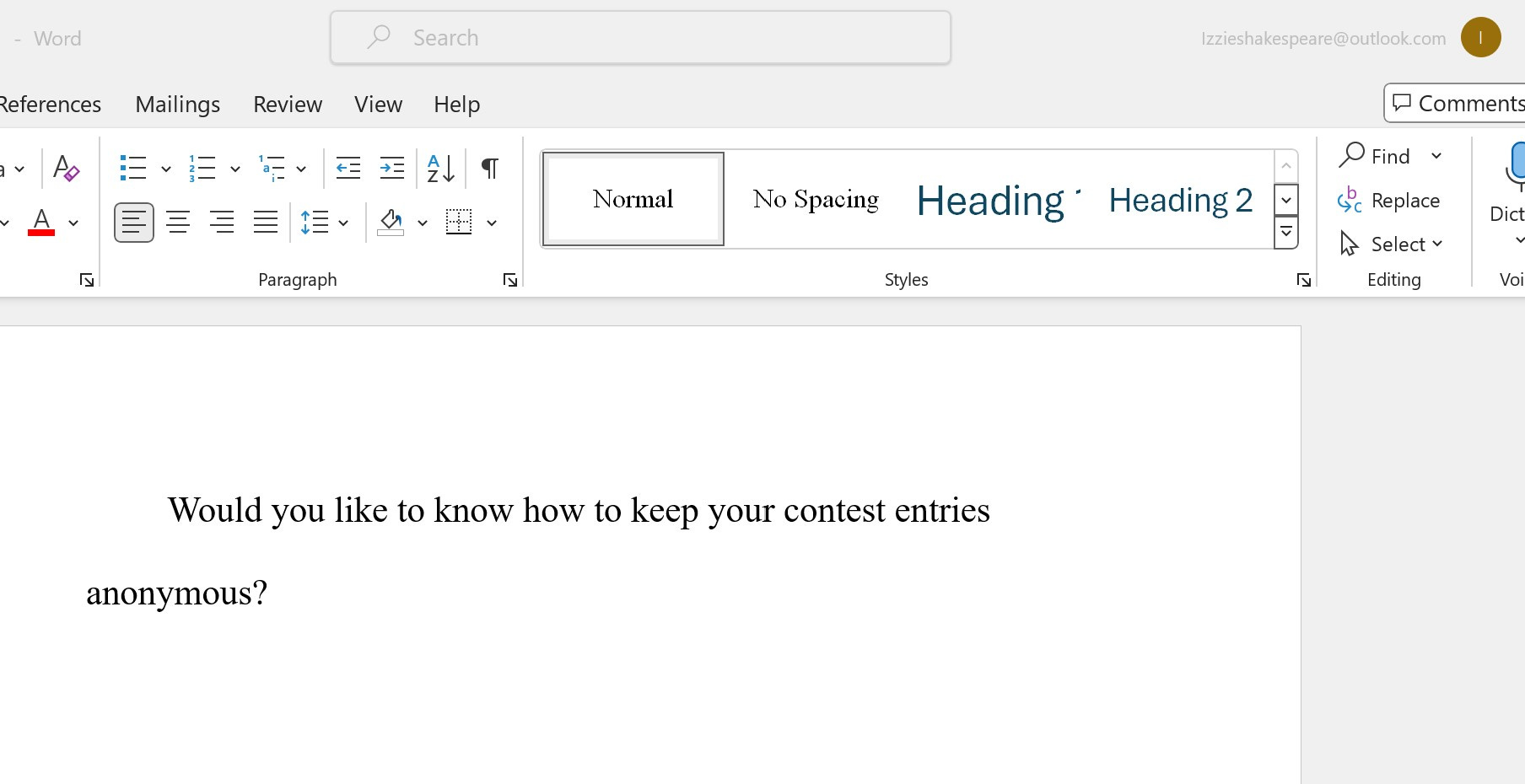
This photo shows you that your email address will appear in the top right corner of the document, although this part will not be seen by a reader of an Internet-submitted entry. There’s a way for any reader to see the name of the writer, however.
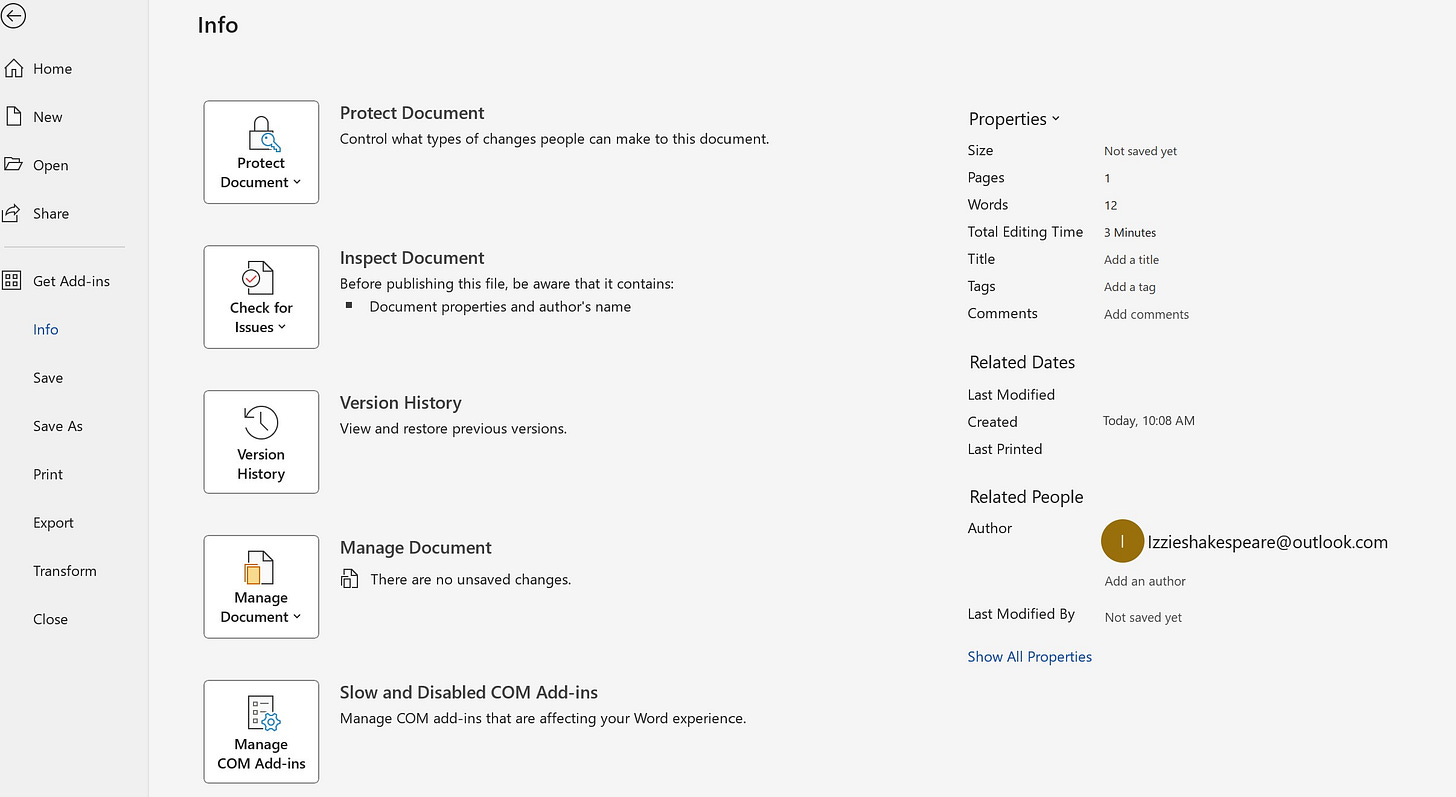
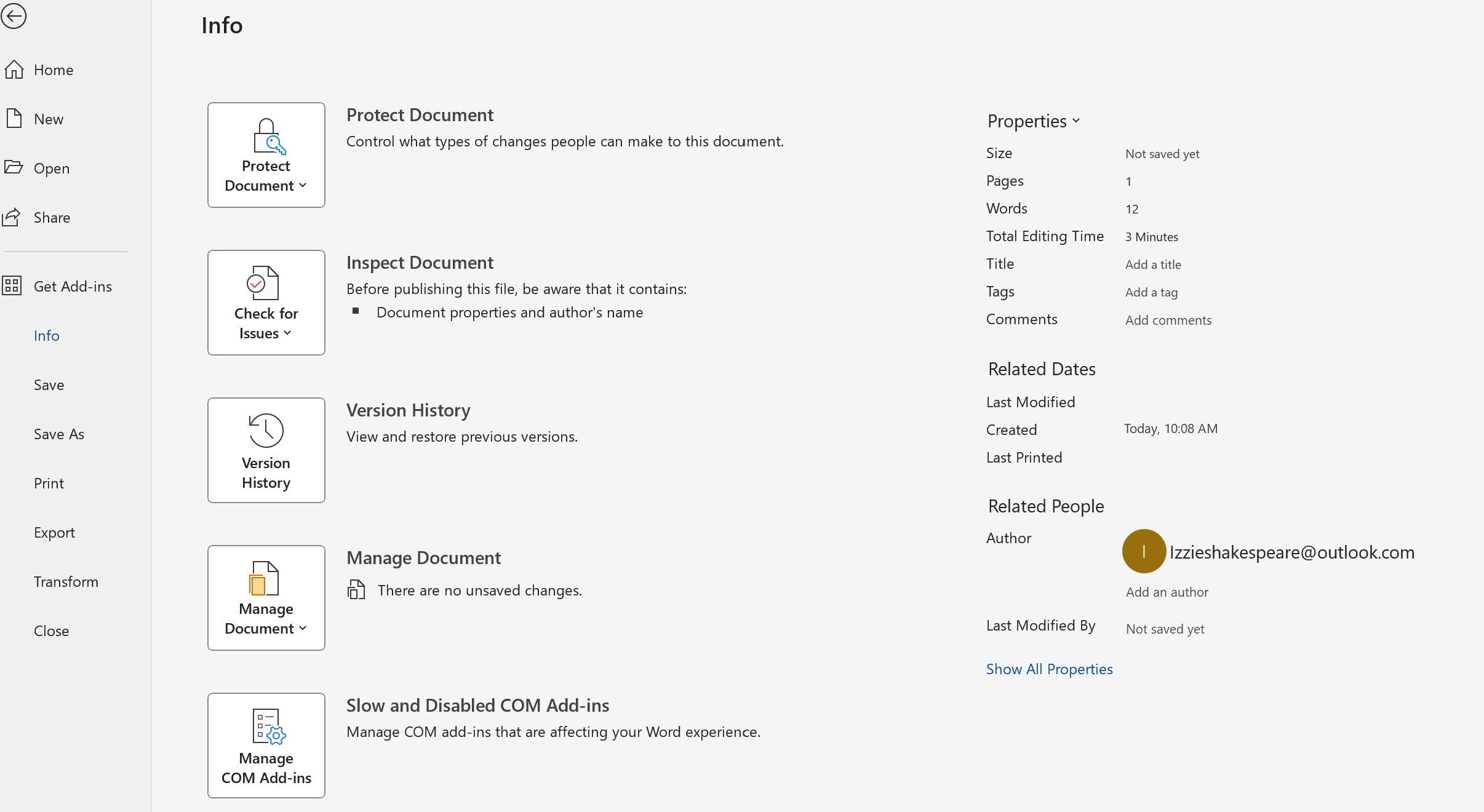
Save your document, then go to File, then click on “Info.” Notice my email address shows as the name of the author on the right-hand side of this page.
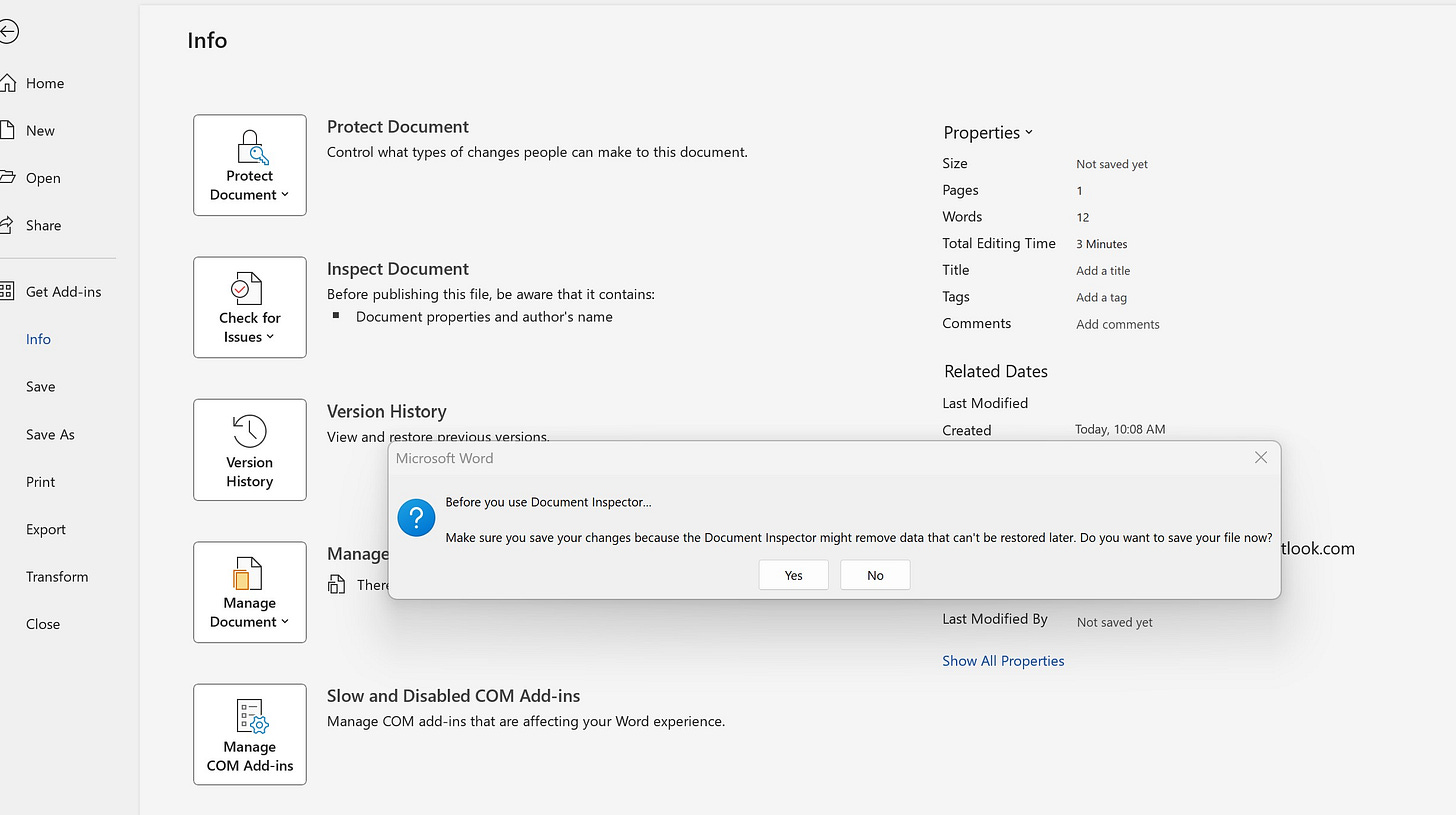
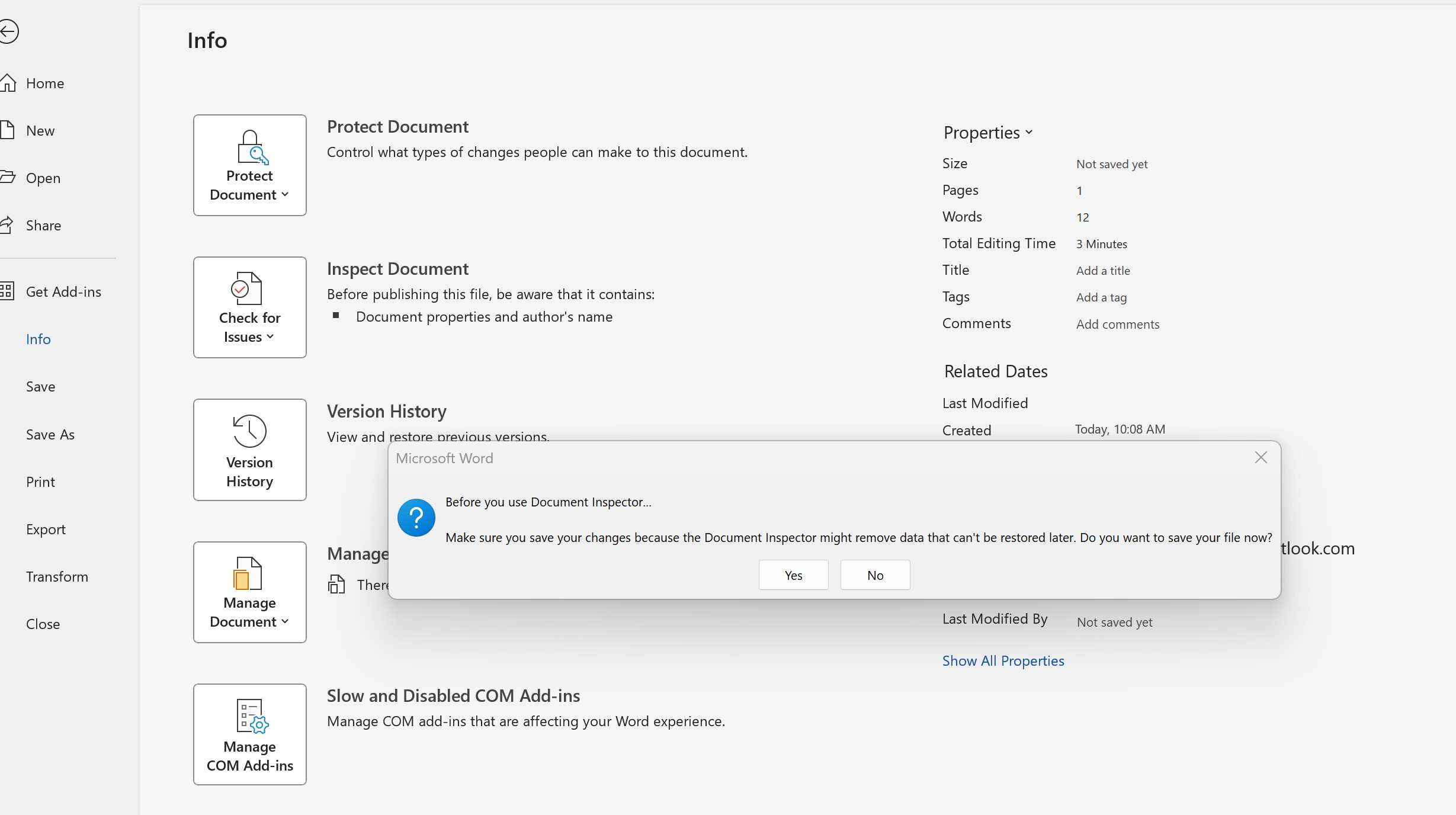
From here, click on Check for Issues. You will be asked if you have saved the document. Click yes, then click Check for Issues.
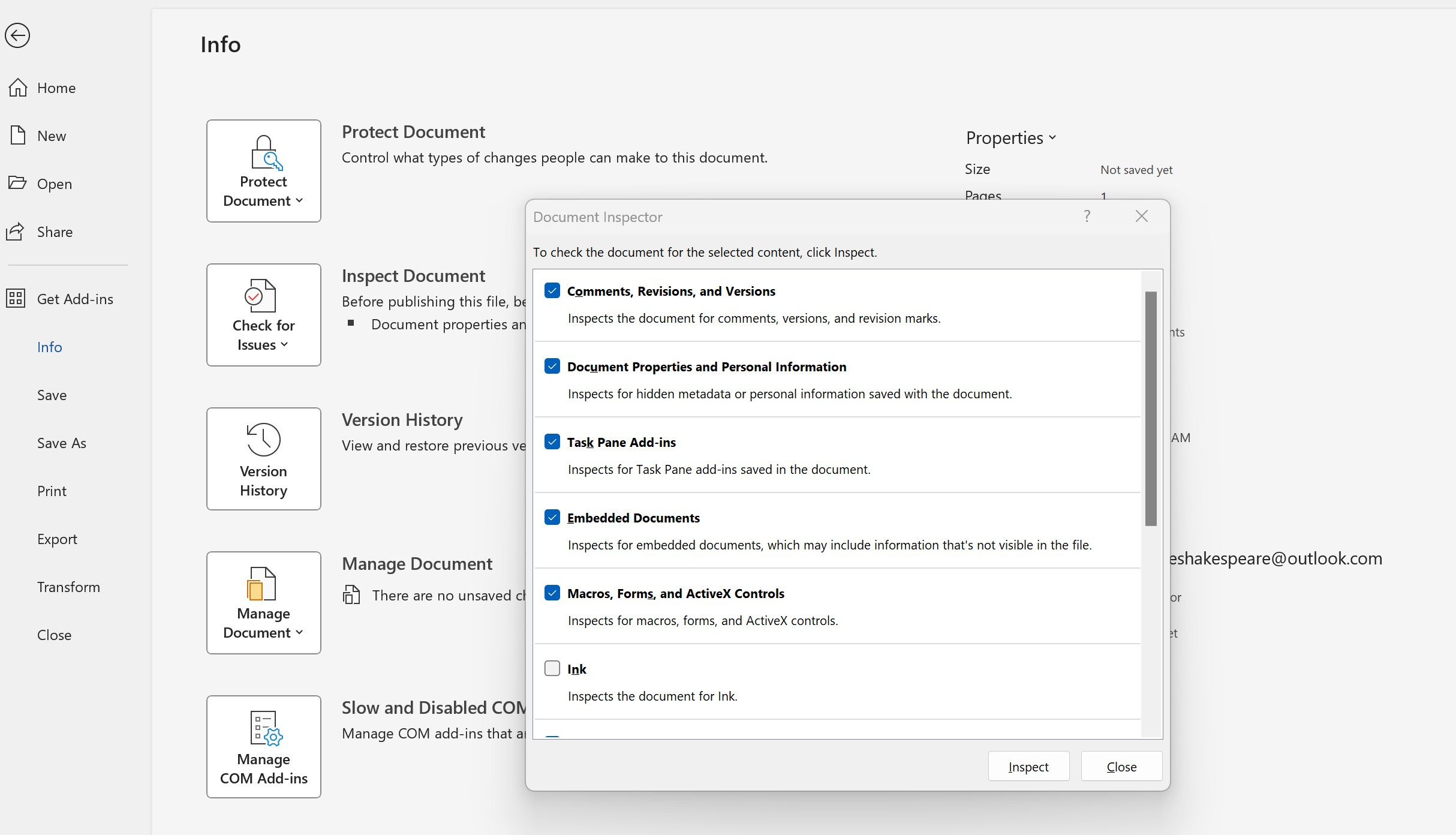
From Check for Issues, the Document Inspector will pop up.
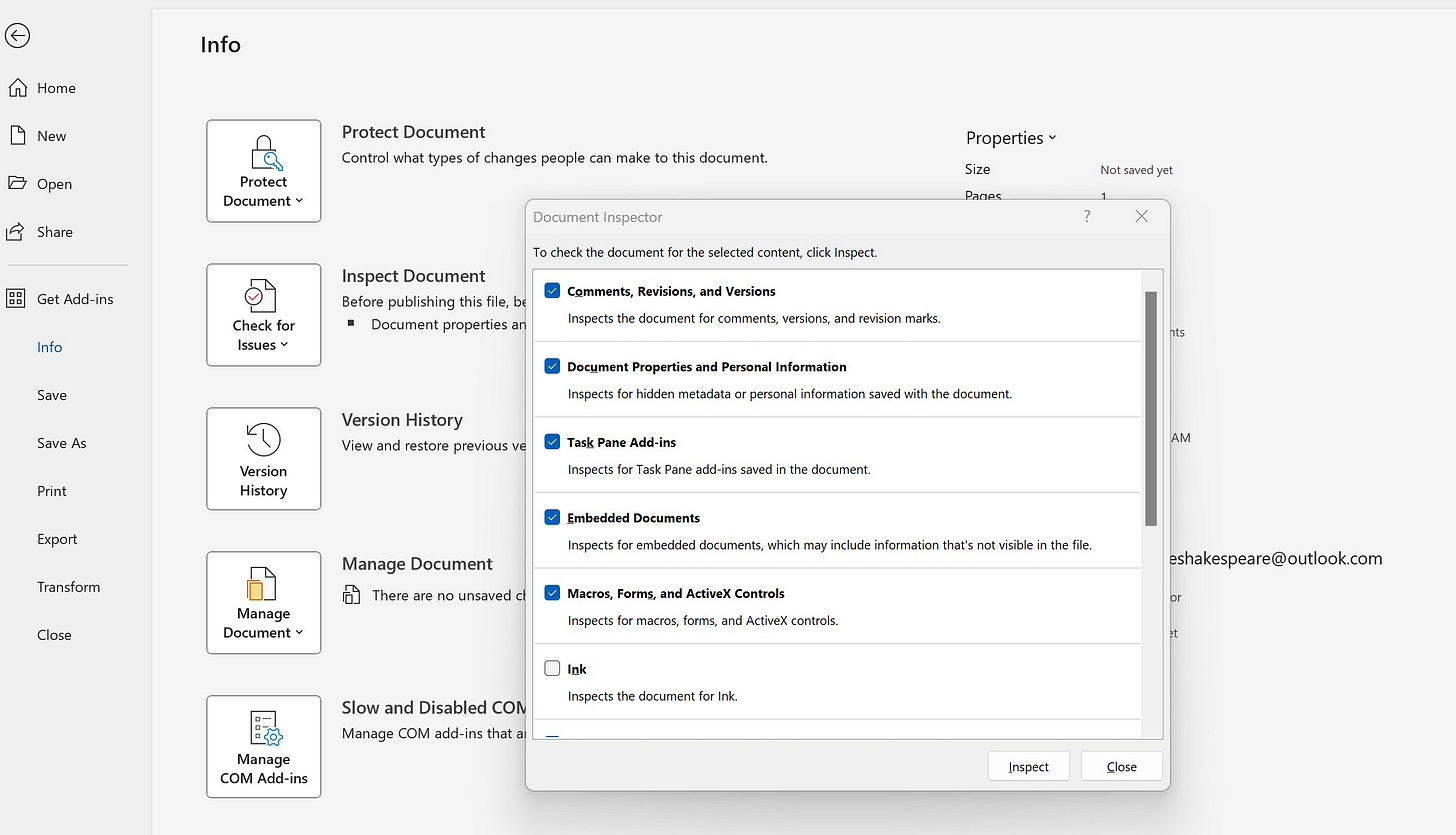
Click on Document Properties and Personal Information. Note how you can still see my identifying email address on the right. Then, click Inspect (at the bottom of the Document Properties and Personal Information.
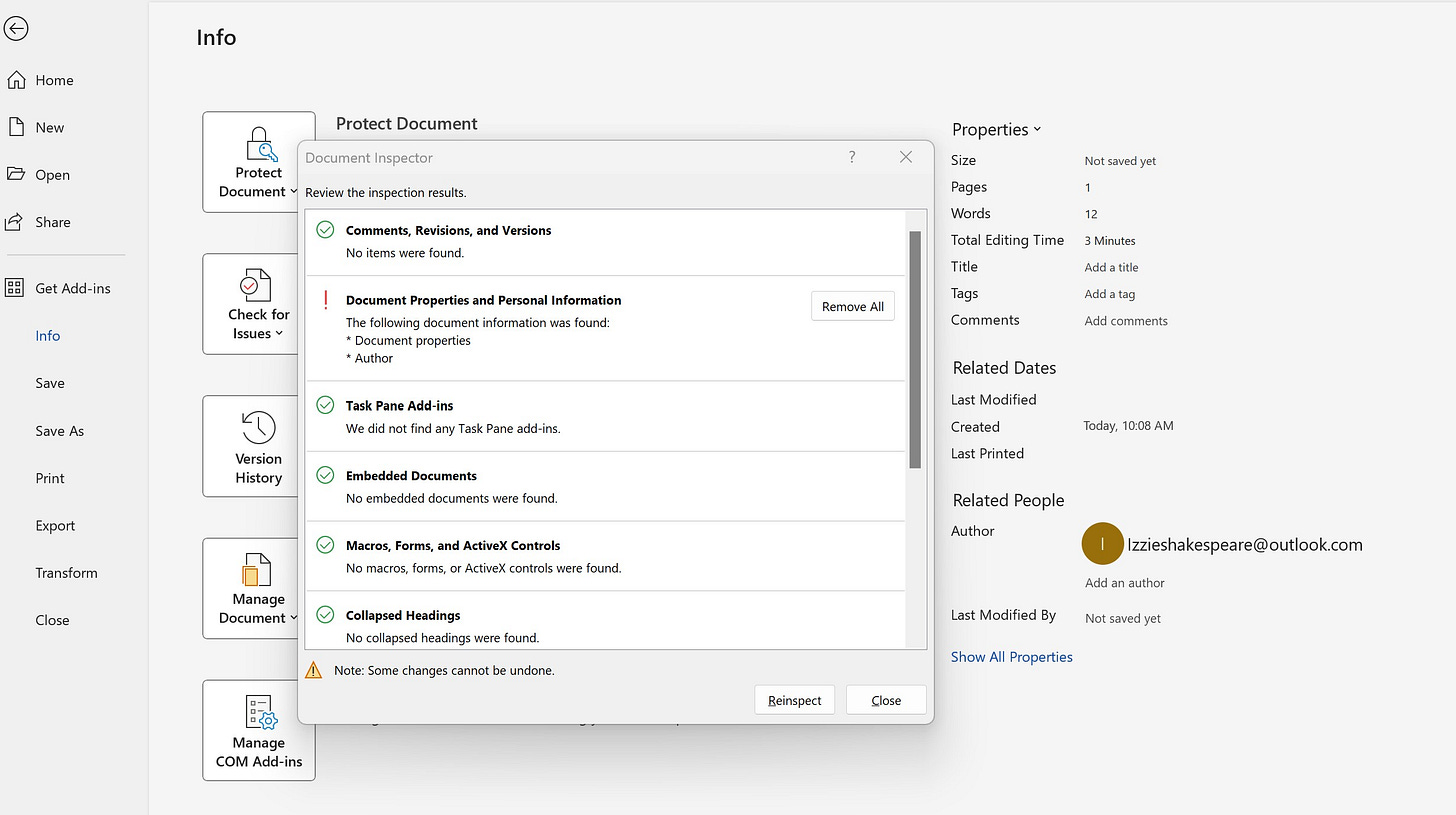
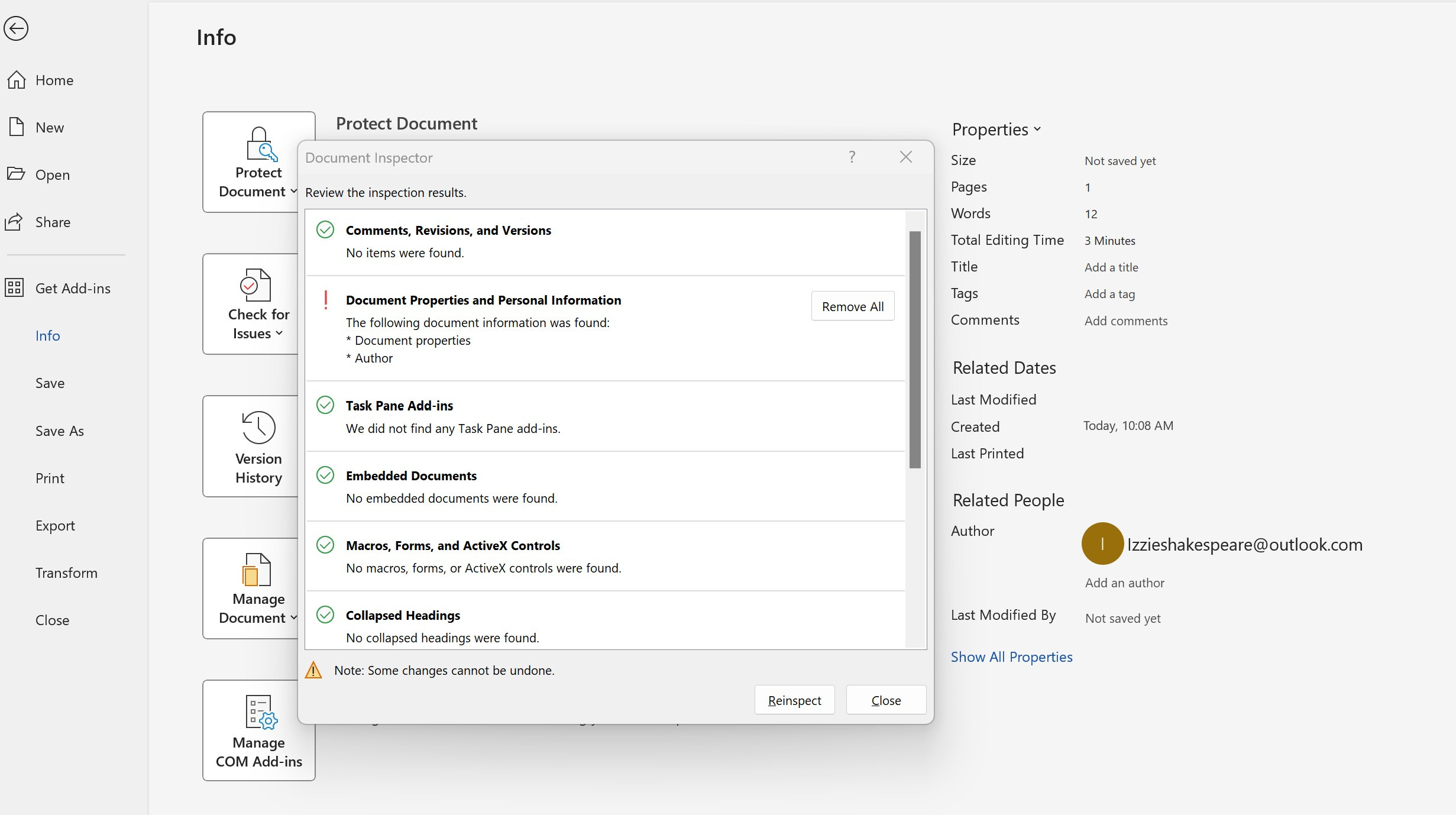
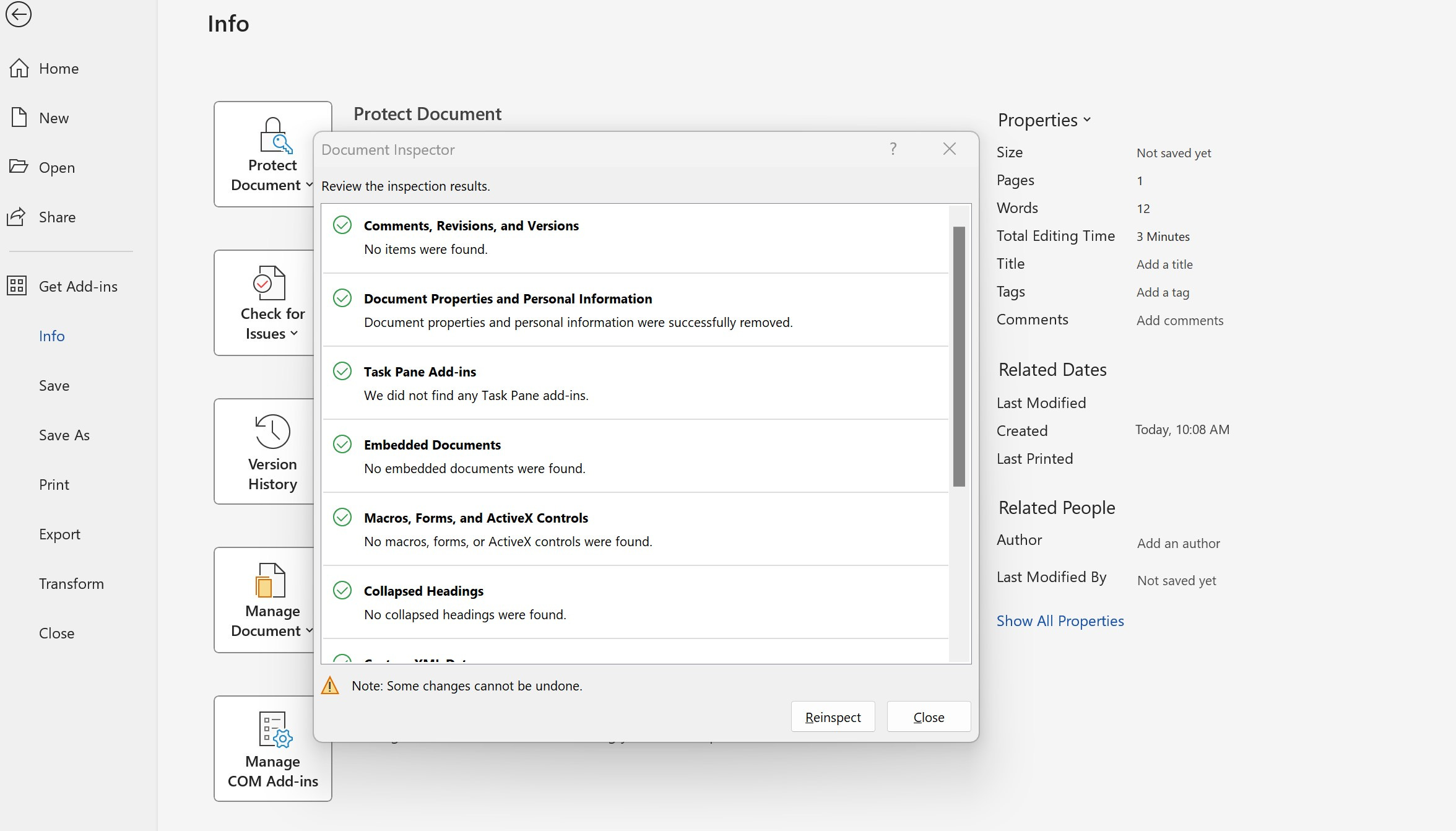
After inspecting, information pops up that shows a red exclamation point by Document Properties and Personal Information. Click Remove All. Now, your writing is truly anonymous.
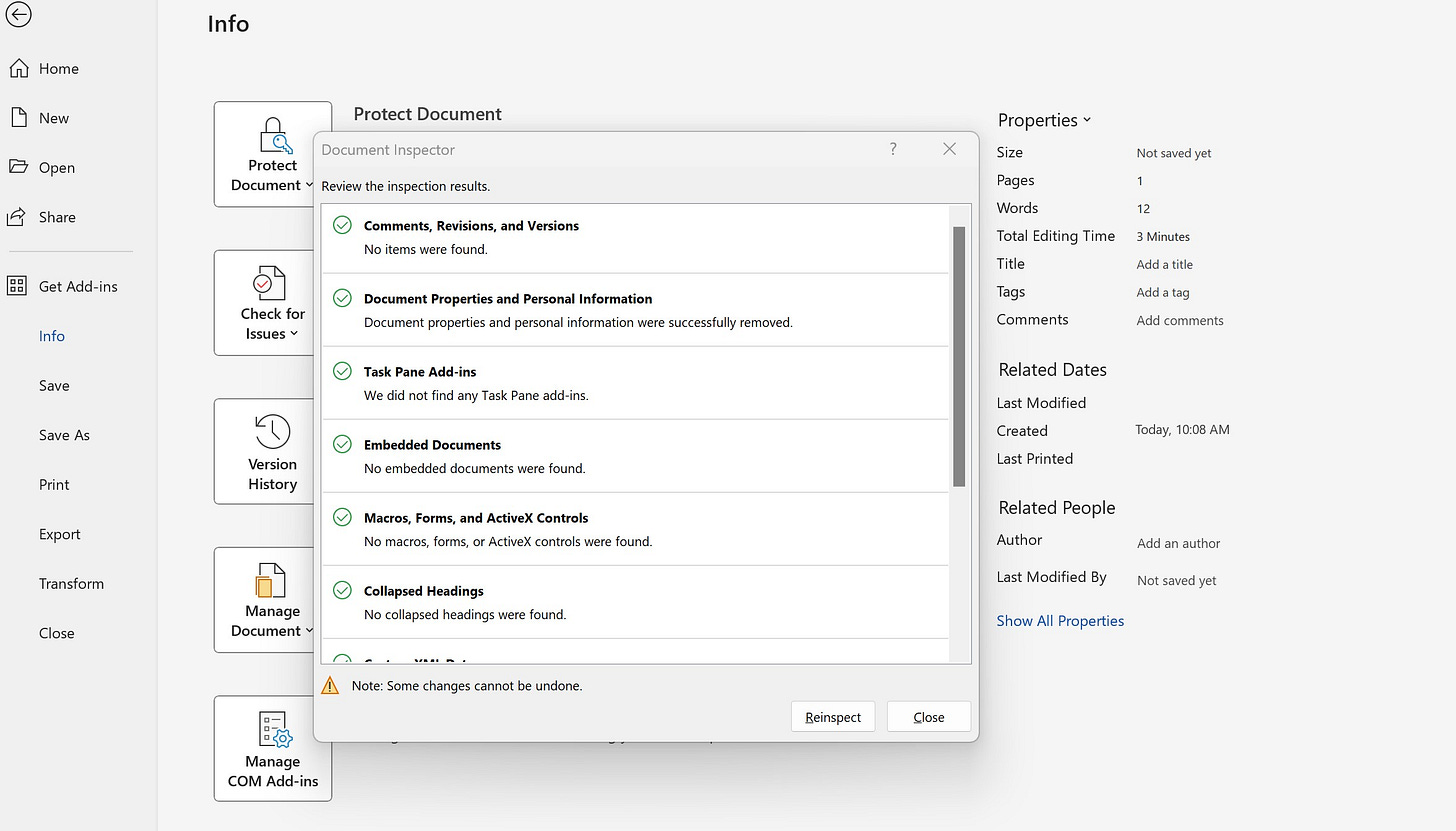
My best friend suggested that I change my author status to read, “Caught You Looking!” I know he was joking, but I like for no words to be shown under “Author.”
If you have any comments, please feel free to do so below. Thanks for reading!


Good information, Lisbeth. I'm hanging on to this one. Thank you!
Great information--thank you! I'll save this email for future use. ~Judith~